Spaces that match your work
Create separate contexts for projects, research, and life. New tabs stay in the current-window sidebar until you explicitly collect them into a space or group.
💼 Work🔬 Research🌿 Personal
 TabSpacev1
Chrome tabs · organized locally
Turn tab overload into focused spaces and groups. Search, move, back up, and sync on your terms.
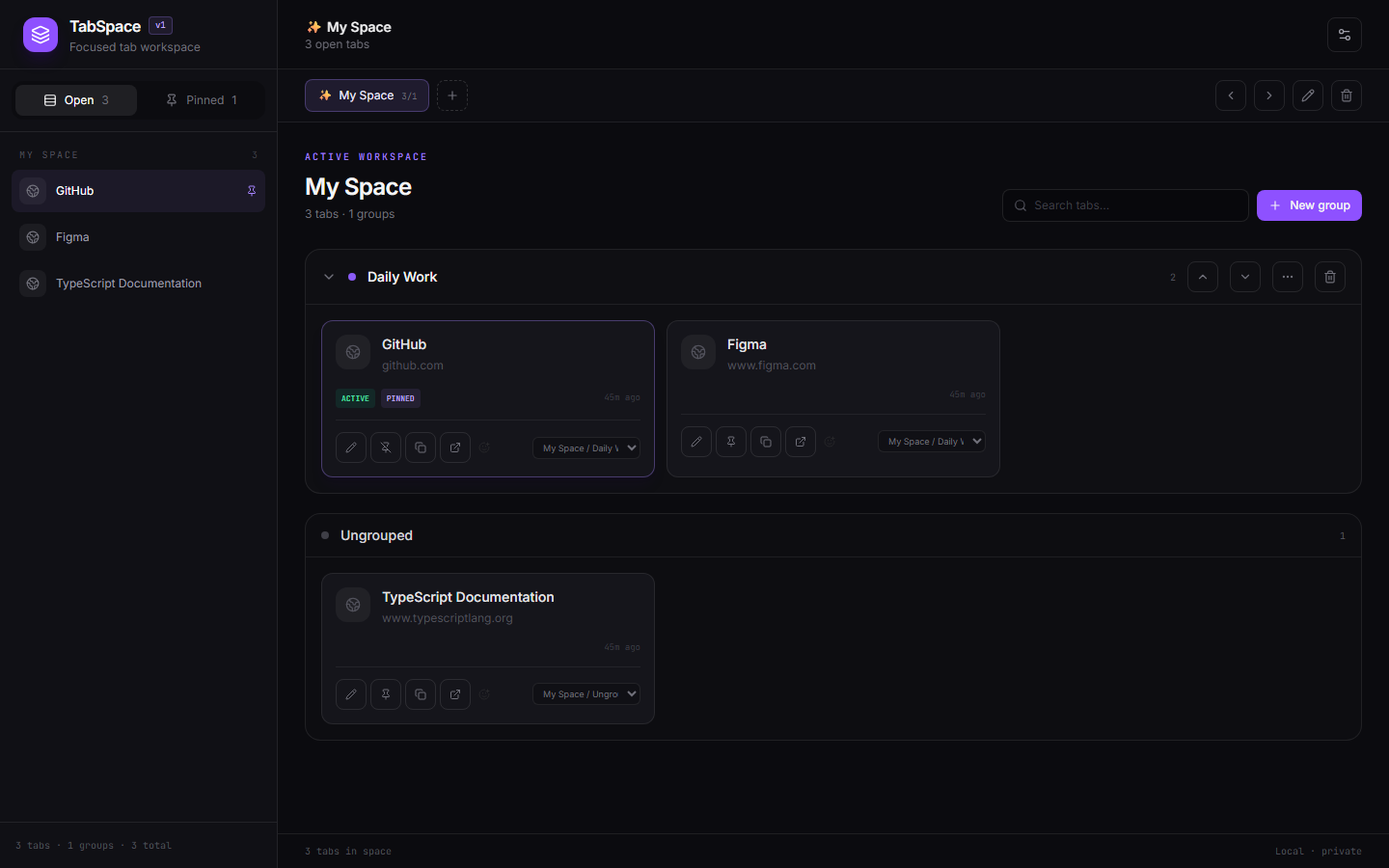
A calmer browser
TabSpace combines real browser controls with persistent organization—without turning your workflow into another cloud account.
Create separate contexts for projects, research, and life. New tabs stay in the current-window sidebar until you explicitly collect them into a space or group.
Search aliases, titles, domains, and URLs instantly.
Use familiar modifier selection and move many tabs together.
Import Toby, Tabme, or TabSpace JSON. Export JSON, HTML, OneTab text, or Markdown.
Push and pull a canonical backup through your own private GitHub Gist.
Simple workflow
The toolbar action opens or focuses one full TabSpace page.
Name, color, order, and switch between durable contexts.
Search, pin, alias, select, and move live tabs without leaving the dashboard.
Download a portable backup or explicitly sync to a private Gist.
Privacy & security
Organization stays in Chrome local storage unless you explicitly export it or enable Gist synchronization. Tokens live only in session storage and never enter backups.
Read the data-safety notes →TabSpace v0.1.2
Download the verified release package and load it as an unpacked Chrome extension.
1  Download tabspace-v0.1.2.zip from GitHub Releases
2  Extract the ZIP to a permanent folder
3  Open chrome://extensions and enable Developer mode
4  Choose Load unpacked and select the extracted folder
The extracted folder must directly contain manifest.json. Open a new tab after installation to launch TabSpace. The release also includes a SHA-256 checksum.